Blockpass design library & tokens
Standardizing UI foundations across Blockpass's product ecosystem
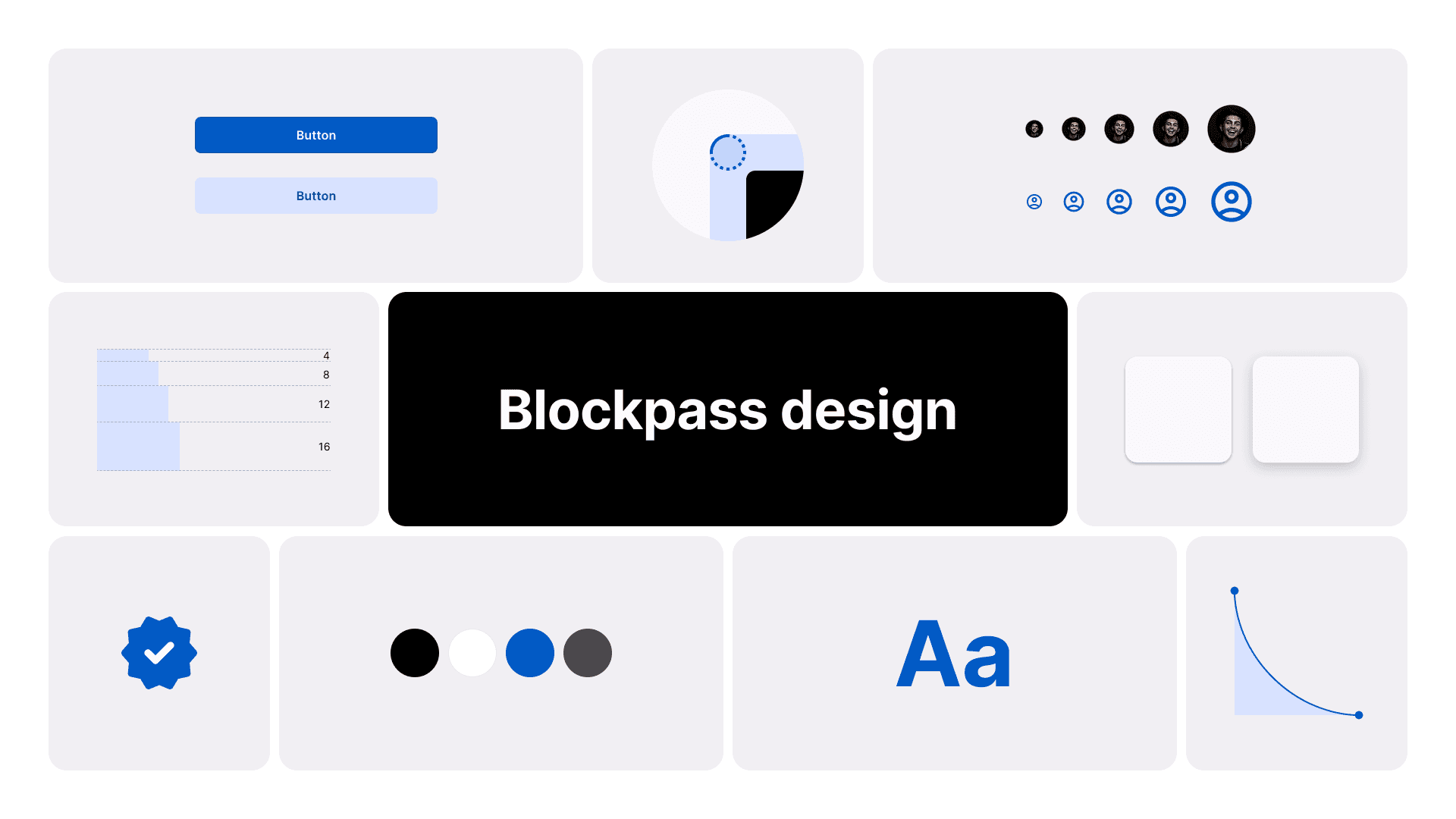

Introduction
Context & Challenges
The Existing Library
Blockpass had a design library, but it had become difficult to manage. After migrating from Ant Design to MUI v5, many components were outdated, key components were missing, there were no tokens, and the file structure made it hard to find or maintain anything reliably. I had to audit the entire library first, categorizing which components were still active and which needed to be deprecated or archived, before I could begin building forward.
The Inconsistency Problem
The inconsistency wasn't just visual. It was operational. Each product had its own Figma file with no shared components or synced styles, so every new screen required manually checking how the same element was used elsewhere.
Development had the same issue. Frontend developers managed a Storybook library, but it only covered a handful of components. Anything new had to be hard-coded from scratch, leading to multiple versions of the same component across products.
This created a cycle of extra review rounds and one-off fixes. Identity verification products need to cover a wide range of use cases, from document submission to compliance dashboards, so the missing components weren't a minor gap. They slowed down every new feature and every new screen risked introducing more drift.
Dev Resistance
Beyond the structural gaps, there was a cultural one. Frontend developers had been working with MUI defaults for a long time and were comfortable with that workflow. Introducing a custom design library meant asking them to change how they built UI.
Without developer buy-in, the library risked becoming another unused resource: well-designed in Figma but never adopted in production. This shaped my approach as much as any technical constraint.
Approach
Deciding what to build first
With 6+ products sharing the same tech stack, I couldn't rebuild everything at once. Three principles guided the system:
Start lean, scale intentionally. Avoid adding too many components, styles, or variables upfront. I prioritized by frequency, focusing first on components that appeared most often across products, then used an Effort-Impact Matrix to determine the build order.
Align with organizational goals. Every library decision tied back to what Blockpass actually needed: efficiency across a small team, consistency across 6+ products, and clearer design-dev communication.
Validate before scaling. Test changes on a small scope before rolling them out universally, reducing the risk of breaking existing product UIs.
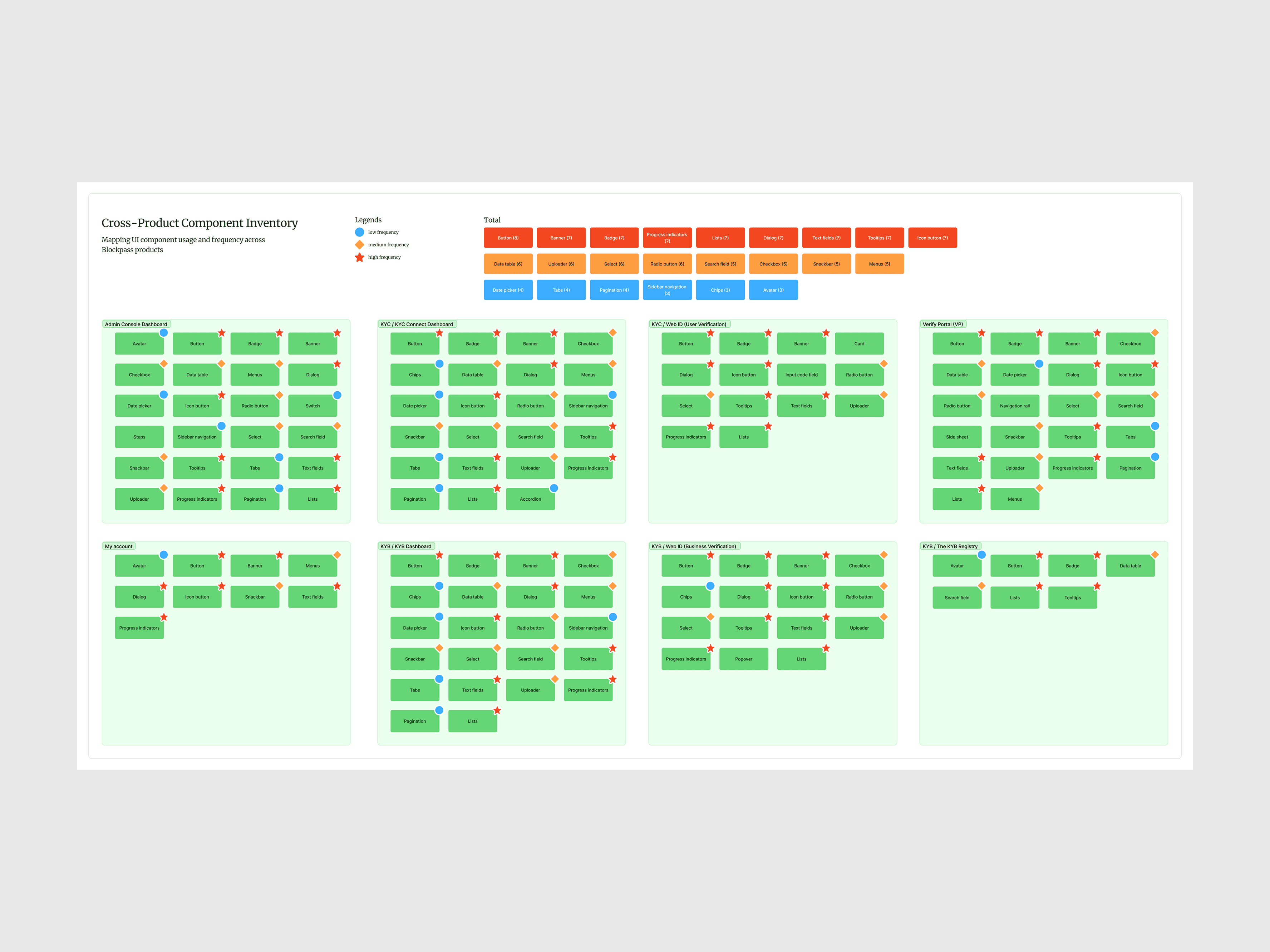
Component inventory across 6+ products, categorized by usage frequency to prioritize the design library roadmap
The result is a library organized into four categories: Foundation (colors, typography, icons, spacing, radius, effects, grid), Assets, Components, and Templates (cards, data tables, email templates, empty states, side sheets, and 404 pages).
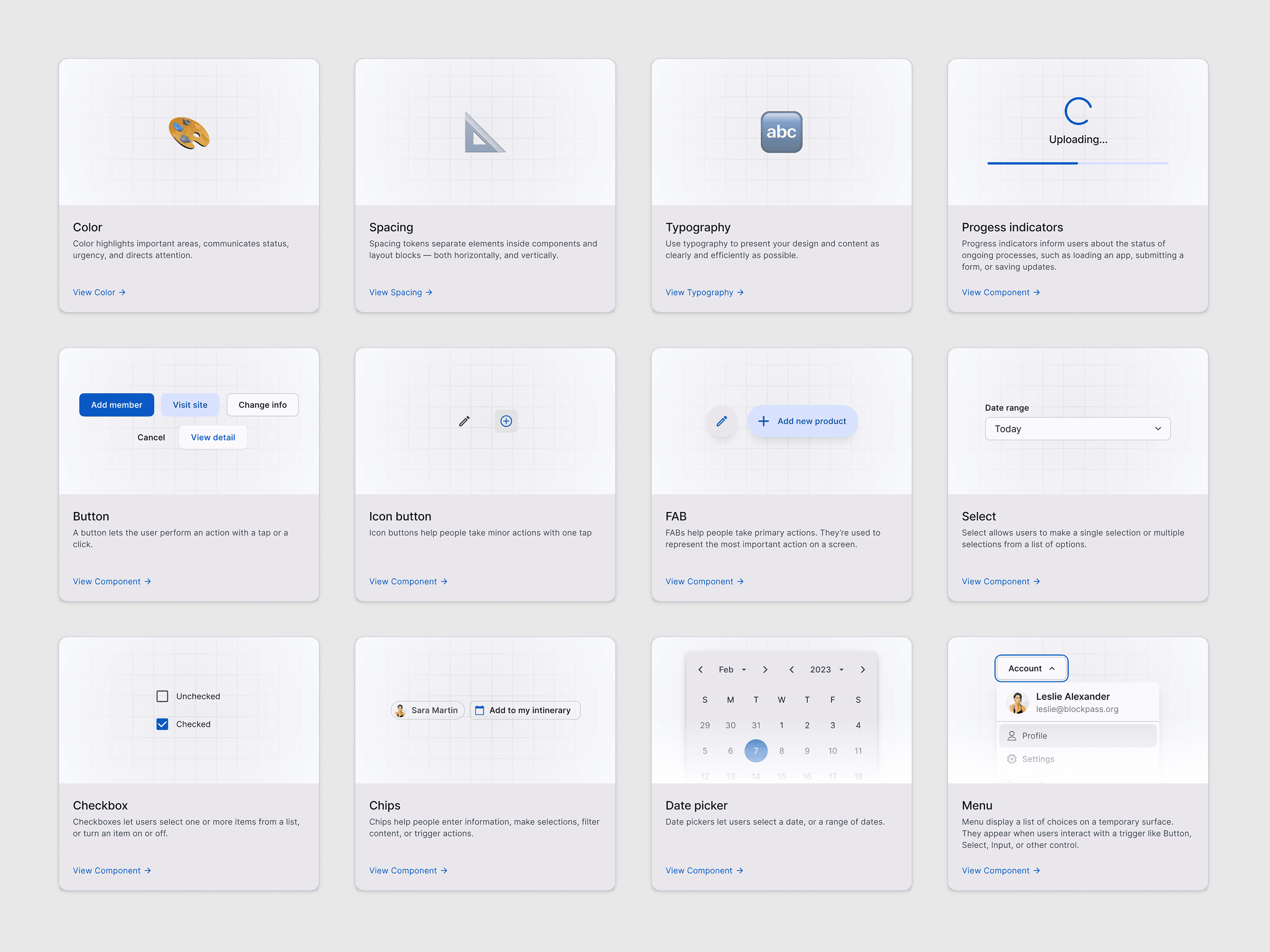
Components of the design library
Designing a new component followed four steps:
Context: Understand how the component is currently used across products
Define: Clarify its purpose, functionality, and constraints
Audit: Review the existing library for overlaps and ensure relevance
Build: Create the design, collaborate with developers on feasibility, and document usage
How this worked in practice: the Data Table
Data tables appear in almost every Blockpass product, which made them the highest-impact component to standardize first. Operators and merchants rely on tables daily: they filter and scan verification statuses on the KYC and KYB dashboards, then drill into an end user's profile to verify. In the Admin Console, tables carry the core settings of every service, displaying team members, webhooks, and API keys.
The audit revealed four different versions of the table across products, each inconsistent in cell font size, row sizing, cell content, and filter bar. In the Build step, the trade-off with developers was to keep MUI's defaults for cell sizing and pagination, while customizing colors and defining content rules for each cell type to cover the different use cases. This kept implementation cheap for developers, and every product still ended up speaking the same table language.

Anatomy of the rebuilt Data Table, shown in the Admin Console's team member settings: (1) title and description, (2) action bar, (3) table header (4) Table rows with defined cell types (avatar, status, role, tags, actions), (5) pagination kept from MUI defaults.
Documentation & Guidelines
To address developer resistance, I created detailed documentation for every component. The goal was to make the library self-explanatory, so developers could reference it independently without needing me to walk through every component.
Each component page includes:
Spec: Visual measurements and spacing
Props: Component properties with accepted values and defaults
Usage: When to use, frequency, behavior rules, and accessibility notes
Placement: Where the component appears on screen (varies by component)
Content: Copy guidelines and do/don't examples
This documentation served two audiences: developers used it as a reference when implementing components, and I used it to keep my own work consistent when designing new features across products.
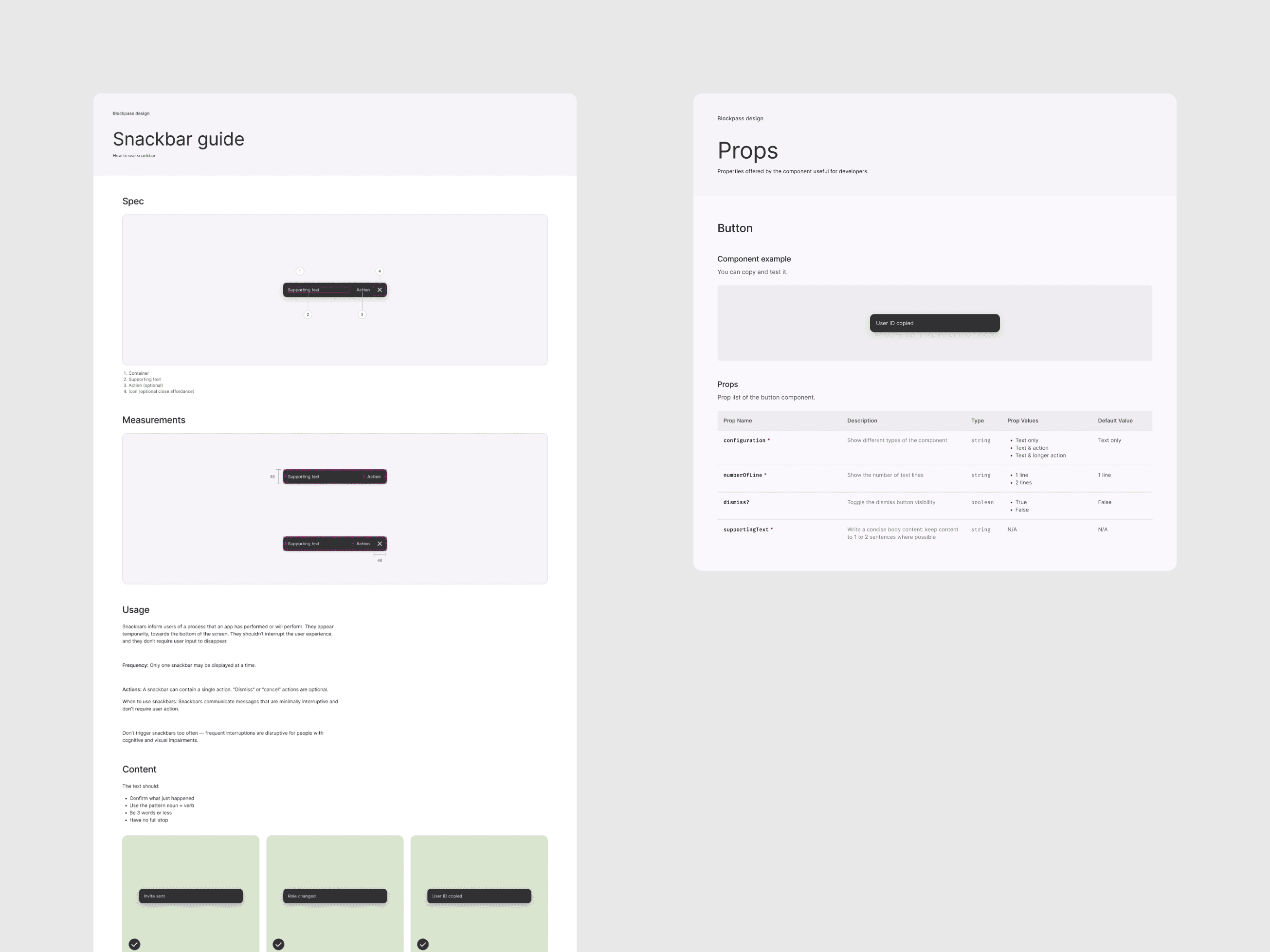
Basic guidelines and properties of a component
Design Tokens
Components and foundations solved the visual consistency problem, but they didn't solve the handover problem. When a color or spacing value changed, it had to be updated manually across every product and every file. There was no connection between a style choice in Figma and its implementation in code.
Design tokens bridge that gap. Three reasons drove this decision:
Streamlined handover: tokens give design and development a shared vocabulary, reducing ambiguity during implementation
Meaningful relationships: instead of disconnected hex codes and pixel values, tokens connect style choices through a primitive and system tier (e.g.,
#005AC5→color.palette.blue-40→bd.color.surface.brand-bold)Single-source updates: when a value changes, it propagates across the system. No more finding and replacing hard-coded values
I manage tokens using Figma Variables synced through Tokens Studio, then export them as JSON and push to a GitHub repository, keeping design and code in sync.

How one design decision travels through the system: raw value → primitive token → system token, then resolves in Figma, code, and production.
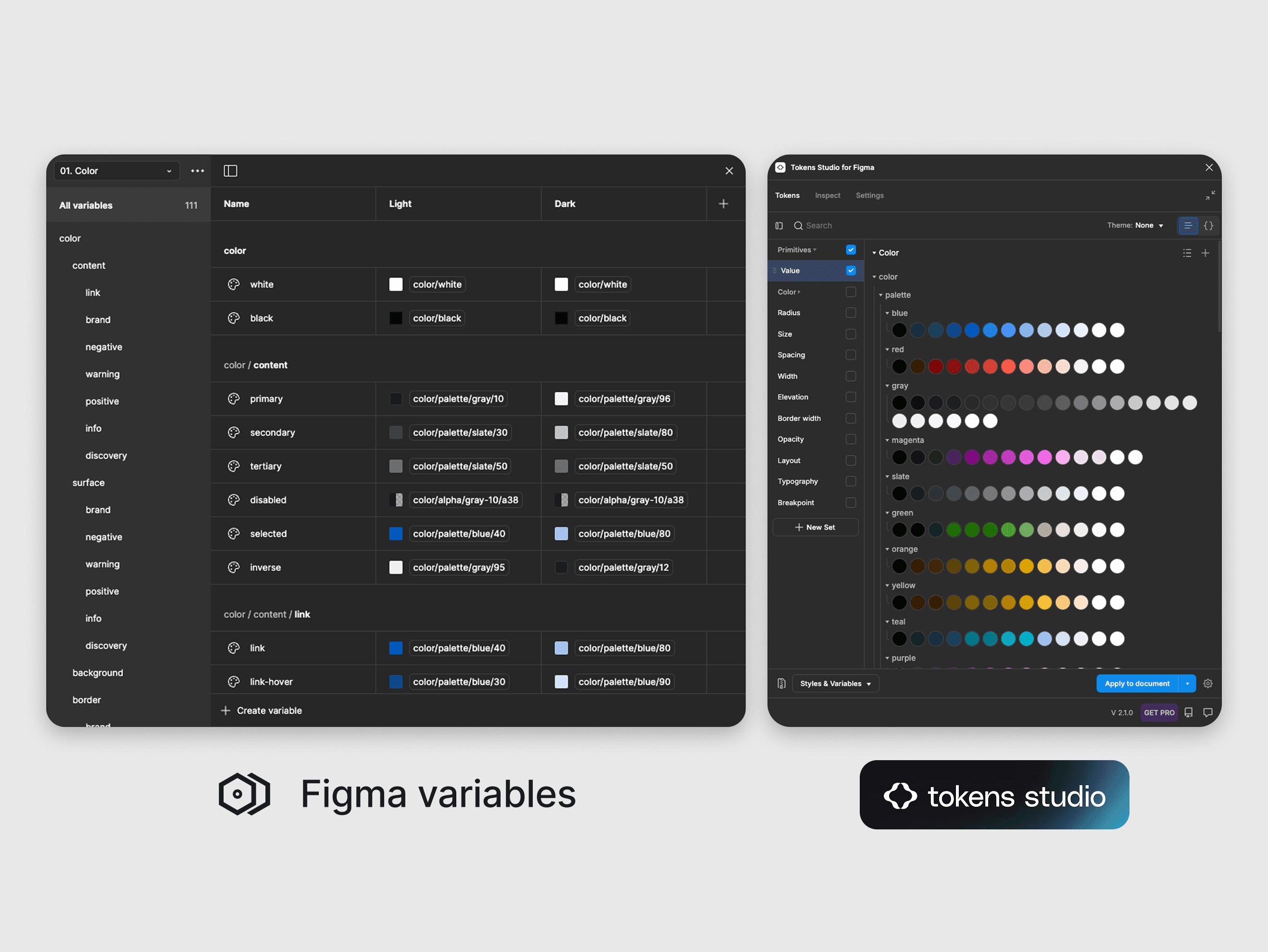
Figma variables and Token studio plugin
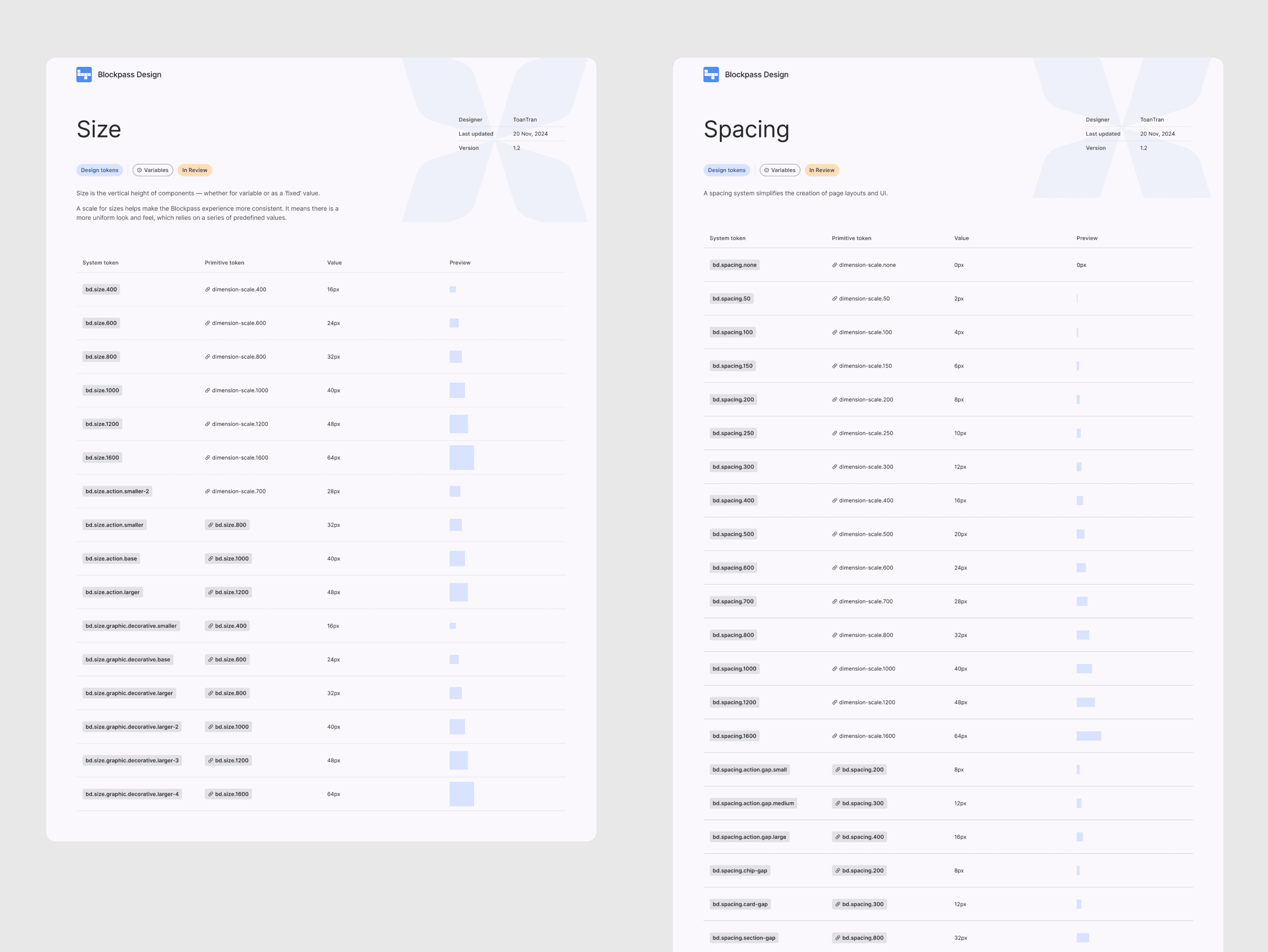
Design tokens documentation
Blockpass design tokens — My presentation on token architecture
Token specifications — Full token details and values
Impact & Reflection
What Shipped
The first real test of the system came from the mobile team. They began testing tokens by mapping them to UI elements on existing components. Their feedback confirmed the trade-off was worth it: the initial setup and mapping took time, but once color hex codes were mapped to tokens, switching between light and dark themes saved the team significant time and effort.
In parallel, the token system was pushed to a GitHub repository where the PM, frontend developers, and I managed it together.
Then the environment shifted. In 2025, as the market tightened and clients reduced spending, Blockpass restructured and the entire dev team was affected. The mobile team was laid off, and the token testing project was paused.
But progress didn't stop entirely. A few of the simpler components were implemented by the remaining frontend developers and are used in production today. Before I left, I recommended the team start with structurally simple tokens like spacing and border radius before moving to complex ones like color and typography, to speed up rollout with limited resources.
The system is still fully documented in Figma, with the token files stored on GitHub: 29 components, 7 templates, and over 400 tokens, ready to scale when the team rebuilds.
Reflection
Building a design library as the sole designer in a company going through restructuring taught me that the hardest part isn't designing components, it's sustaining adoption. Early wins with the mobile team proved the system worked, but organizational change can reset progress overnight.
If I could revisit this project, I'd push for earlier cross-team adoption: getting tokens into frontend production alongside mobile, rather than one after another. Having two teams using the system would have made it more resilient to losing one.
This project also reinforced a practical lesson: documentation is adoption. The developer resistance I faced wasn't about the quality of components, it was about clarity. Once I invested in detailed guidelines, the conversation shifted from "why should we change" to "how do we use this".
